
Last updated November 16, 2026
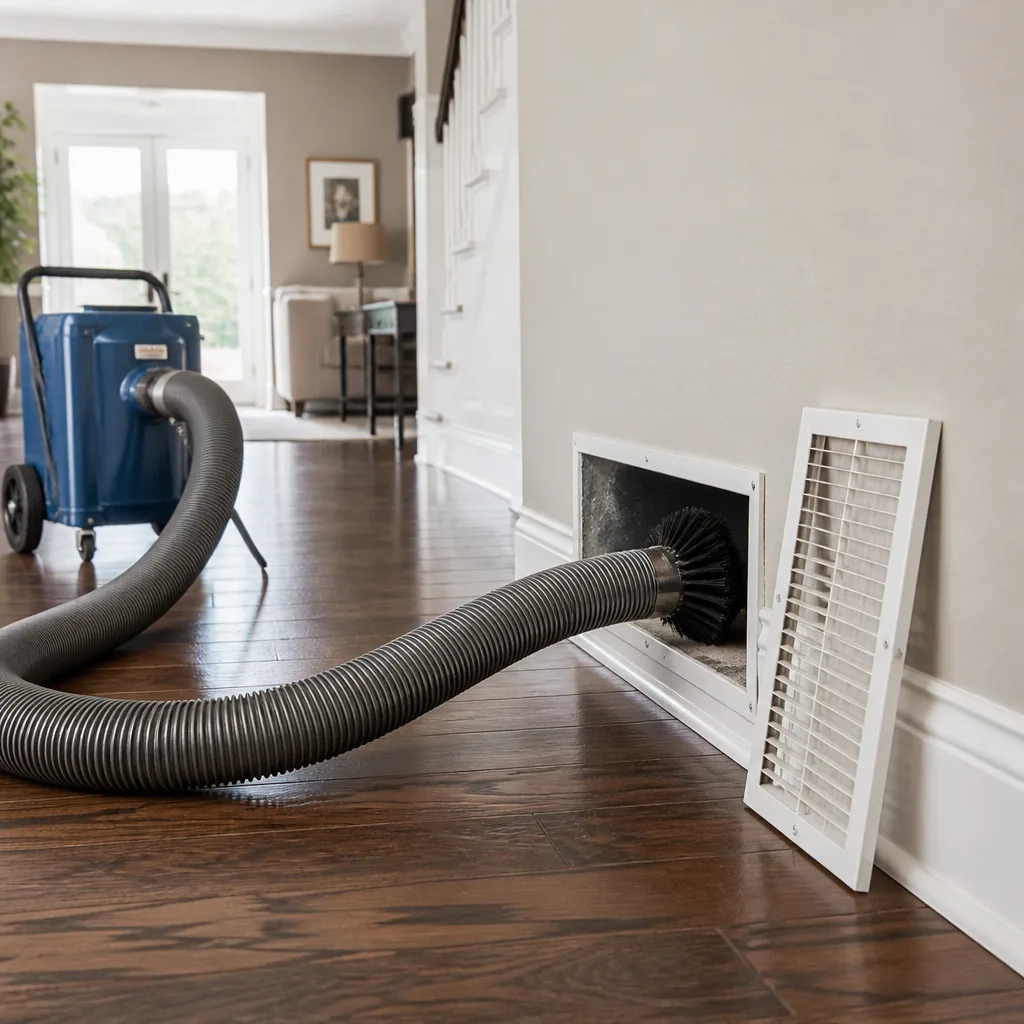 Whole-home duct cleaning
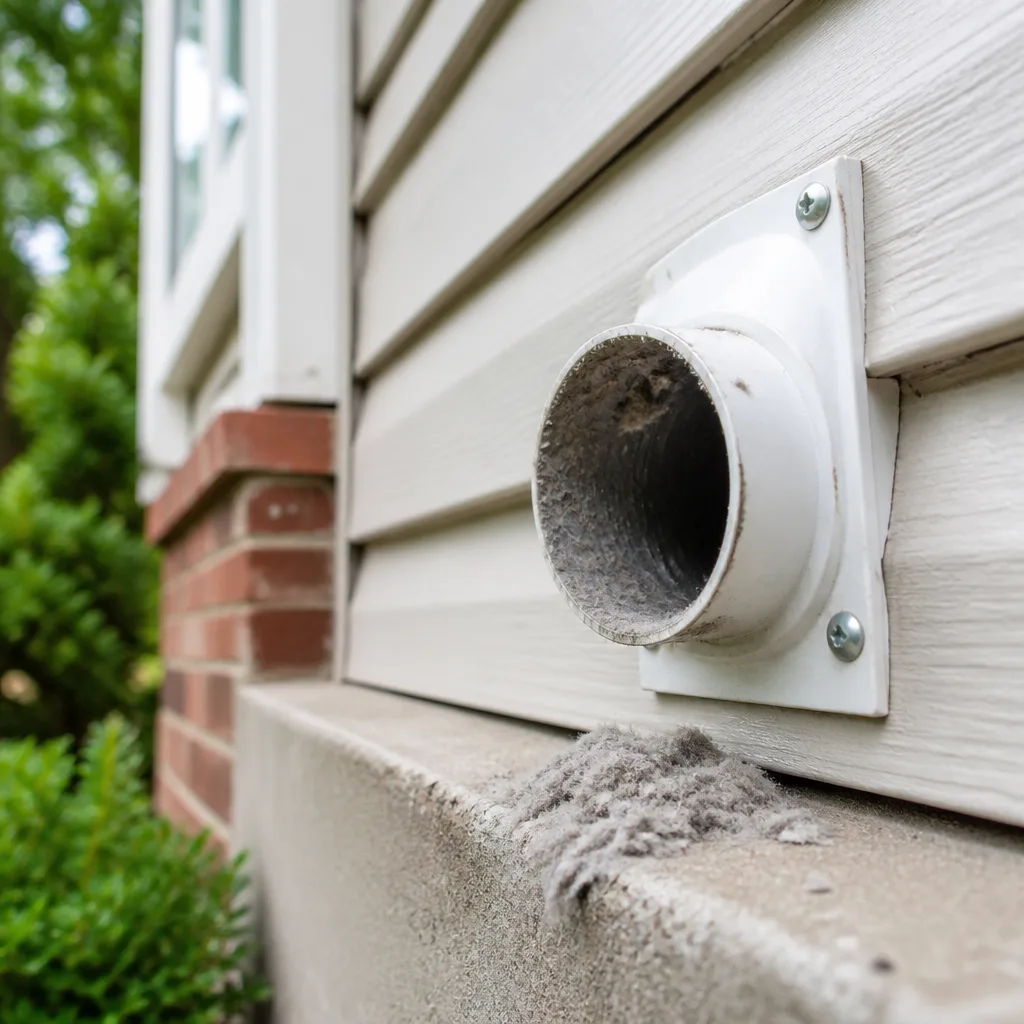 Dryer vent cleaning
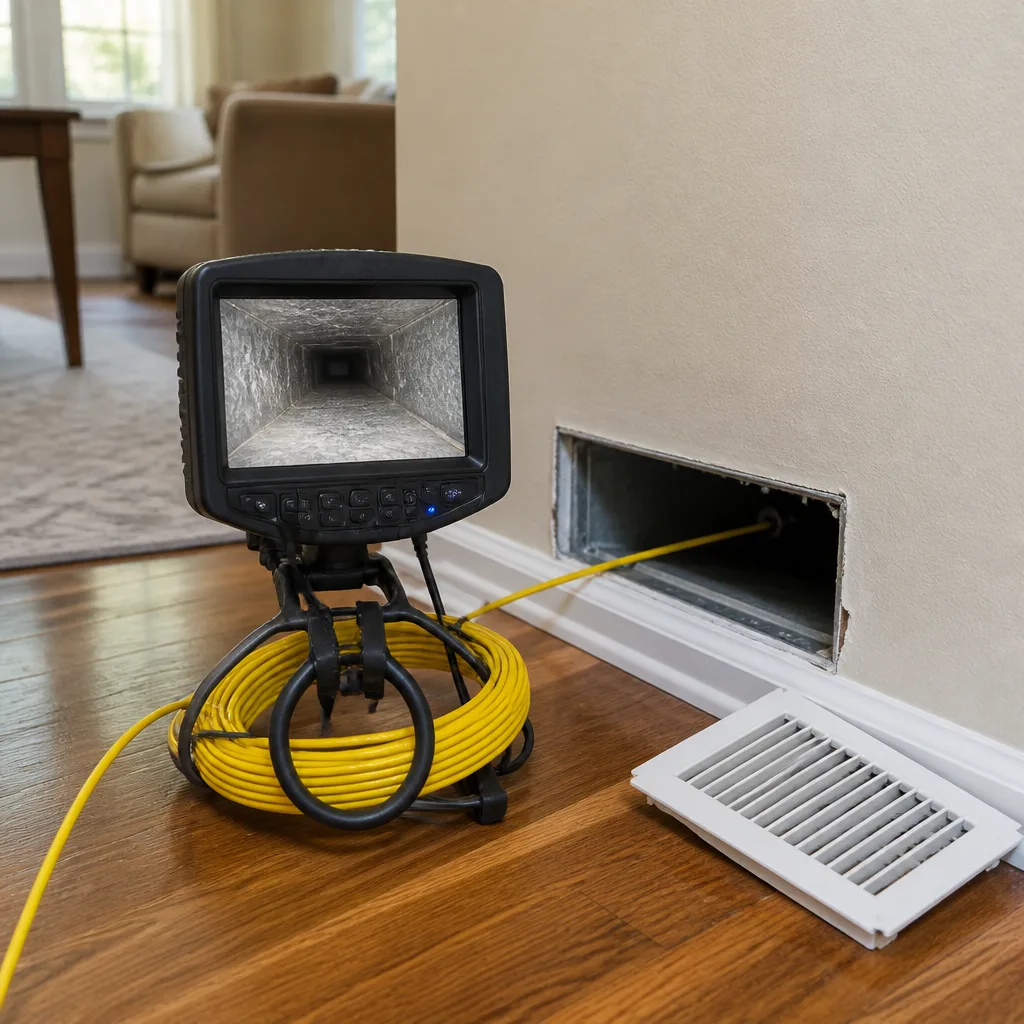 Camera inspection
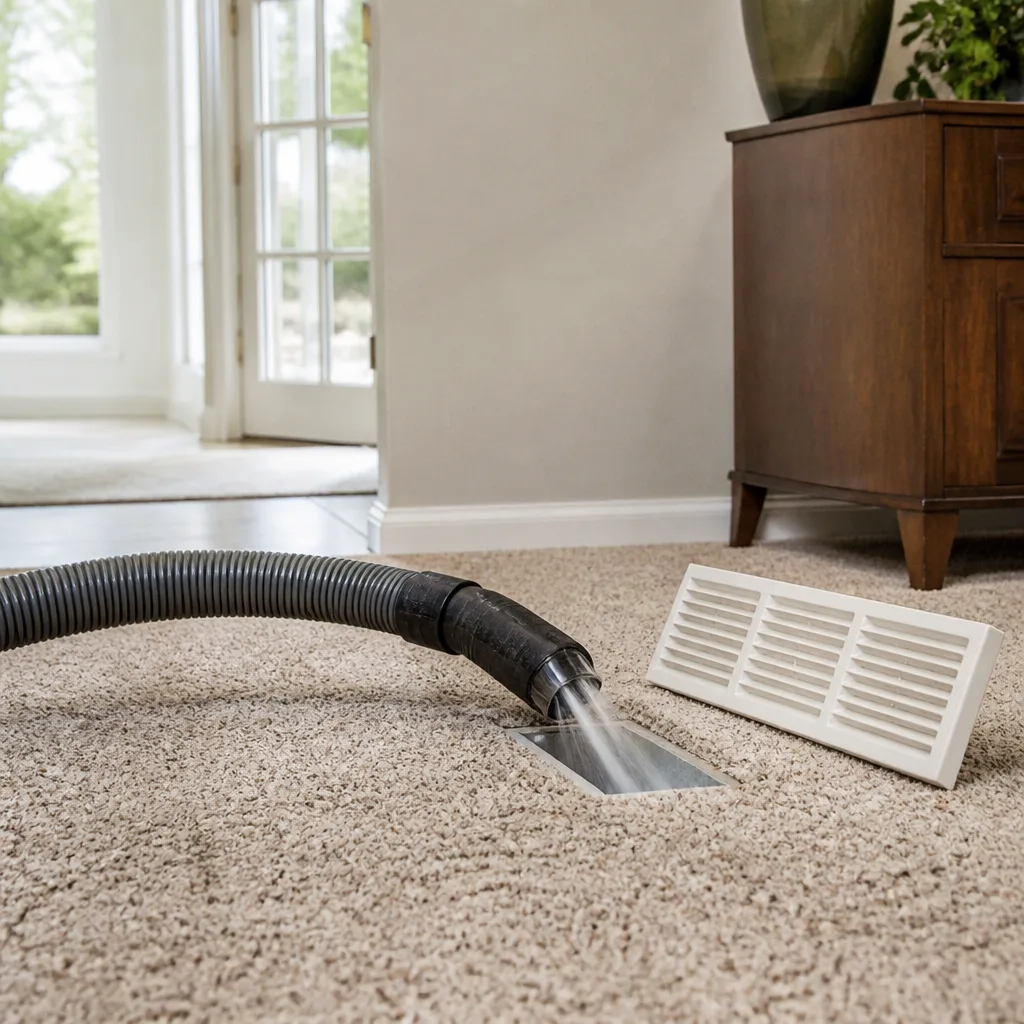 Sanitizing & deodorizing
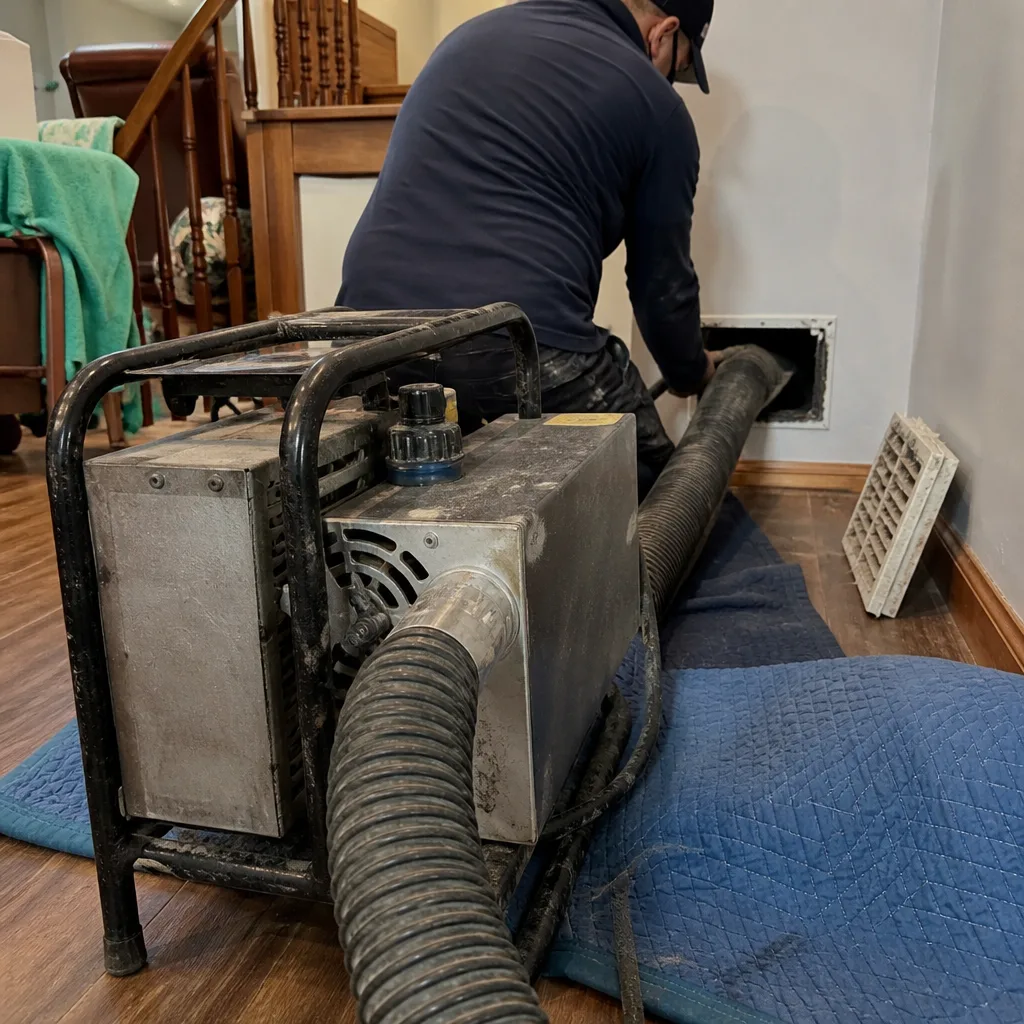
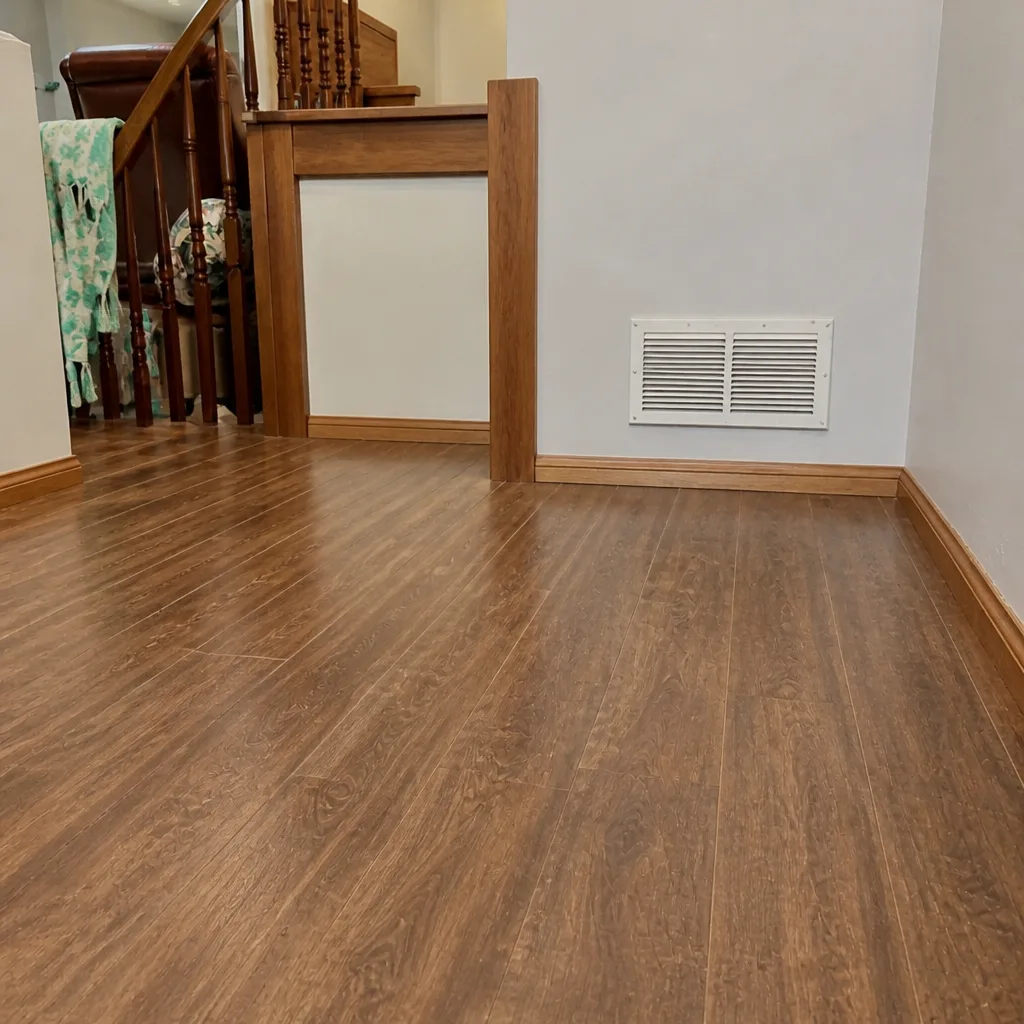
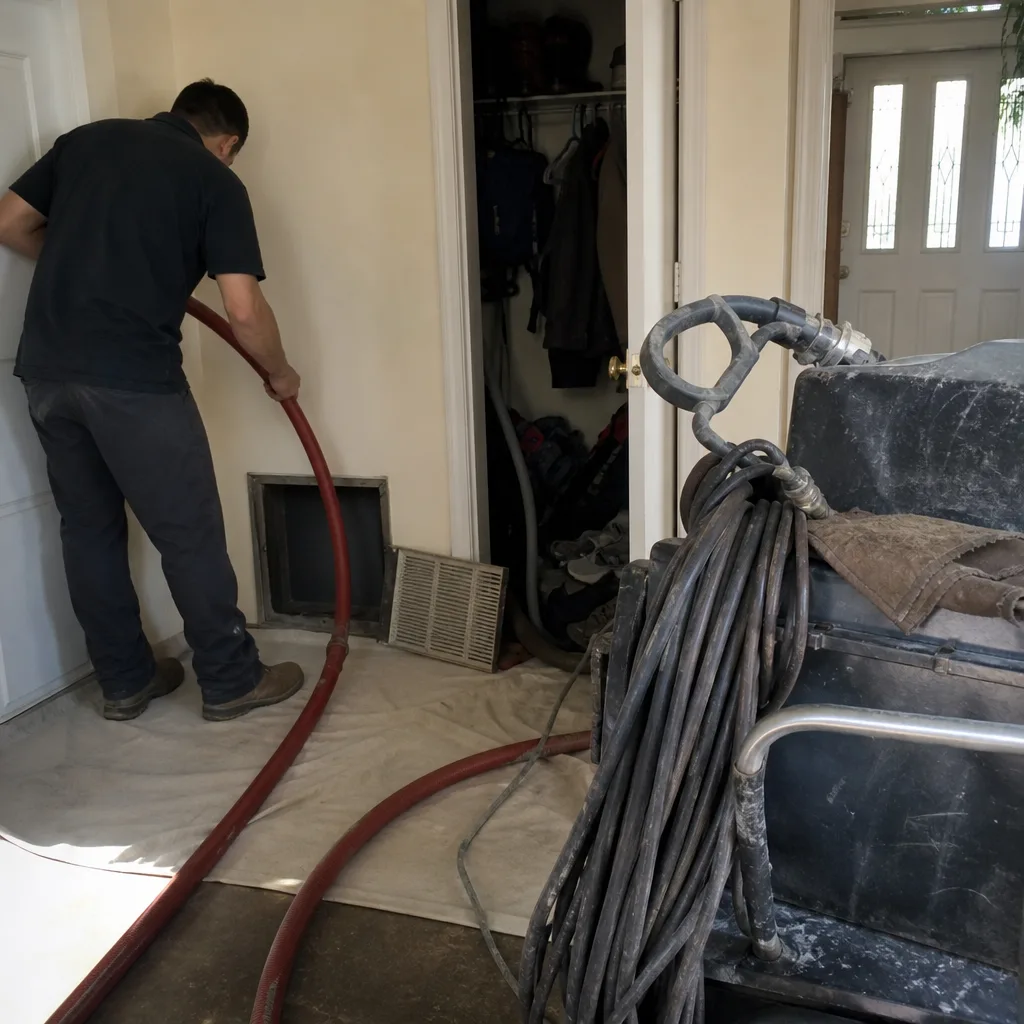
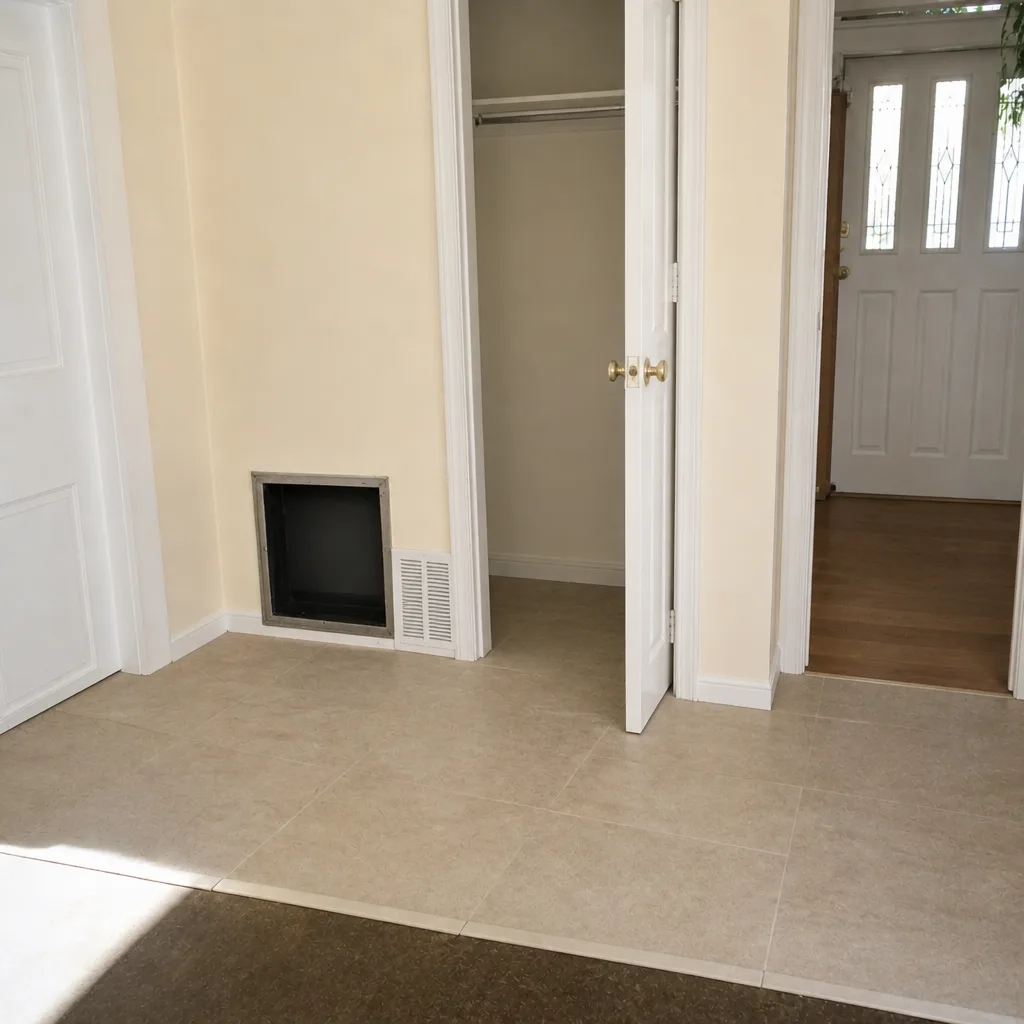
Whole-system duct and dryer vent check with before-and-after photos - you see exactly what came out of your vents
That "$99 whole-house special" is a bait ad - the real number appears once they are in your hallway, or the "clean" is a shop-vac at the register. We photograph the inside of your ducts before and after instead.
Air Duct Cleaning Maintenance Checklist for Concord Homeowners
Most homeowners change a filter now and then and assume their ducts are fine. What they don’t have is a written record of when the ducts were last cleaned, what was found inside them, or who did the work. Without that record, you’re flying blind on a system that moves every cubic foot of air in your house through it several times a day. A checklist isn’t a cleaning schedule. It’s a documentation system, and building one is the single best way to catch duct problems early and keep your HVAC running the way it should. This guide shows Concord homeowners how to build that register from scratch.
Quick Answer
A homeowner duct maintenance checklist is a written record, not a cleaning schedule. It tracks each register’s condition, filter change dates, and a professional cleaning’s scope and findings so you can spot degradation early, keep warranty and service history intact, and show evidence if an HVAC problem or insurance claim comes up. Build it room by room, update it at every filter change and cleaning, and you’ll always know the actual state of the air system in your Concord home.
Styles & brands we work with
- Whole-home duct cleaning
- Dryer vent cleaning
- Camera inspection
- Sanitizing & deodorizing
Table of Contents
- Why a Written Duct Record Beats a Cleaning Schedule
- Building Your Room-by-Room Register
- Concord Triggers: Wildfire Smoke, Renovation Dust, and Pollen
- Filter Maintenance and Duct Maintenance: Two Separate Records
- What to Document After a Professional Cleaning
- Red-Flag Conditions to Add as Line Items
- How to Inspect Your Own Registers Between Cleanings
- Common Mistakes to Avoid
- When to Call a Professional
Why a Written Duct Record Beats a Cleaning Schedule
Ask a contractor when your ducts were last cleaned and most homeowners can’t answer. They remember changing a filter, maybe. They don’t remember the date, the scope, or what the technician found. That gap matters more than people realize, because ductwork degrades slowly and quietly. A loose joint here, a small accumulation there, and airflow drops before anyone notices. Without a baseline to compare against, the drop looks normal.
A record changes that. When you know what your registers looked like last time, you can tell when a room starts feeling stuffier than it should. When you have photos of a clean return plenum, you know what “clean” actually looks like in your house, not in a sales brochure. And when an HVAC technician tells you the system needs major work, a documented maintenance history is evidence that the ducts have been looked after. That matters during a warranty discussion or a home sale.
Concord homes sit in a climate that puts the system through real seasonal swings. Warm, dry summers push the cooling side hard. Mild, wet winters still cycle the heater. Dust, pollen, and smoke from regional fires all find their way into returns over the course of a year. A record gives you a way to see all of that on paper instead of guessing.
What the register actually does
- Establishes a baseline you can measure future changes against
- Separates evidence from memory when you’re talking to an HVAC contractor
- Keeps a service history in one place for home resale or warranty needs
- Tells you when a cleaning is actually due rather than when a phone call says it is
- Makes a small problem visible before it becomes a system-wide issue
Building Your Room-by-Room Register
Start with a simple document. A spreadsheet, a notebook, or a notes file on your phone all work. The point is that every supply and return register in the house gets its own line, with the same fields filled in the same way each time you check. Walk through the house room by room, name each register, and note exactly where it sits.
Our technicians have up to experience, and one thing we’ve learned is that the physical location of a register is as important as its condition. A supply in the ceiling above a window behaves differently from a floor register near a door. Each space in your home needs its own entry.
Walk-through steps
- Sketch a floor plan of the house, one page per floor. Mark every supply and return with a short label (for example, “Living Room Ceiling A” or “Primary Bedroom Floor B”).
- For each register, record its type (supply or return), location, and rough size.
- Note the register’s condition at every check: clean, light dust, heavy dust, visible debris, or damaged grille.
- Enter the date you checked it and the method you used (visual, flashlight, or a camera shot).
- Log the last professional cleaning date, the company name, and the type of equipment used on that service.
- Add one line per register for any red flags you spot (musty odor, airflow change, condensation, or filter issues).
A good register entry includes a photo. Take one picture of each register at each inspection. Over two or three checks, those photos become a timeline of your system’s condition, and if a professional cleaning happens, you’ll have a before-and-after record you can actually trust.
If your register walkthrough turns up a damaged joint or a crushed run, Benchmark Air Duct Cleaning handles repair as well as cleaning, so the same company that cleans the ducts can fix what the inspection finds.
Concord Triggers: Wildfire Smoke, Renovation Dust, and Pollen
A fixed calendar doesn’t fit a system that reacts to the environment. In the Concord area, three seasonal triggers belong on every checklist because they change the schedule. You don’t clean ducts on a date. You clean them when one of these events pushes the accumulation past where it started.
Wildfire smoke and air quality
Regional wildfire smoke is the most underrated trigger for duct maintenance in this area. When the Air Quality Index climbs into the unhealthy range for a stretch of days, a lot of that particulate matter gets pulled into the return side, especially if you run the system with windows closed or with the fan circulating. Add a line to the checklist: after any wildfire smoke event where local AQI readings stay elevated for several days, inspect the filter and the return registers, and log what you see. That’s not a cleaning every time. It’s a check, and the register tells you whether the accumulation is heavy enough to warrant an air duct cleaning.
Renovation dust
Any interior remodel, repaint, drywall patch, floor refinish, or cabinet install generates a cloud of fine dust that settles deep into the house. That dust becomes the system’s problem as soon as the fan runs. Add a checklist item: after any significant renovation, note the completion date and deliberately check the return and supply near the work area before turning the system back on. Dust drawn into flexible duct can coat the interior and, over time, reduce airflow. If you schedule a cleaning afterward, log the dates so you can prove that the ducts were addressed in response to the work.
Pollen peaks and filter intervals
Concord’s spring and early summer pollen peak puts fine particles into the air that the return side catches. Change the filter more often during that stretch and note the shorter interval in the checklist. Then, when pollen season ends, go back to the routine interval. Correlating filter change dates with pollen peaks is one of the strongest signs your maintenance record is set up correctly, because it shows the schedule is responding to the local environment instead of a calendar.
A trigger index for your checklist
- Wildfire smoke event: prolonged elevated AQI, then filter and register inspection
- Interior renovation: tag the completion date and inspect nearby ducts
- High pollen: shorten the filter interval and log it
- New pet or household member with allergies: add a mid-season inspection
- Season change: open the register and visually check condition
Filter Maintenance and Duct Maintenance: Two Separate Records
Here’s a mistake we see over and over. Homeowners assume that because they change the filter on a schedule, the ducts are handled. They aren’t. A filter is a disposable screen at the system’s intake. Duct maintenance is an inspection and cleaning of the actual air paths. Confusing the two gives you a false sense of how clean the system is, and the record you keep needs to reflect that separation.
Keep two records, side by side. The first is a filter log: filter type, filter size, installation date, and date of the next change. The second is a duct log: register conditions, professional cleaning dates, and any findings from a technician. When those two logbook pages get merged, the filter record starts to look like it covers the ducts, and the real work slips off the radar.
How to run the filter log
- Write the filter’s exact size and model on the frame of the system or on the log itself.
- Record the change date every time, not just the month.
- Note whether you used a standard pleated filter or a higher-MERV filter.
- Log short intervals during pollen peak and adjust afterward.
- Flag any filter that comes out unusually dark or saturated – that can be a downstream duct issue.
Duct maintenance is tracked separately. That log gets a new entry after a professional cleaning, after any trigger event (wildfire smoke, renovation), and at a routine annual or semi-annual visual inspection. The two logs are neighbors in the same binder, not the same file.
When a household is also managing allergies or HVAC efficiency, filtration and duct work need to work together. We service Honeywell and Aprilaire filtration and air-quality systems, so those conversations stay on one checklist rather than getting split between two contractors. For dryer vent safety, keep that log separate too. That maintenance belongs to a different system, and the best time to notice it is on the same routine pass. You can read more about it on our dryer vent cleaning page.
What to Document After a Professional Cleaning
A cleaning without documentation is basically an invoice. The record you want afterward should let you, months down the line, prove what was done and what was found. That means documenting three things: the scope of the work, the technician’s findings, and the equipment used on the job. Together, those three create a baseline you can compare the next cleaning against.
The post-cleaning record
- Scope: which registers and which trunk runs were cleaned. A good provider will list them, not just write “whole house.”
- Method: contact cleaning plus HEPA extraction is the standard to look for. That is what we use: Rotobrush contact-cleaning systems and Nikro HEPA-extraction equipment, not a shop vac and a blower.
- Findings: the technician’s notes on what was found in each area. Debris levels, joint condition, and any sign of compromised ductwork belong in that record.
- Before-and-after photos: your own ducts, not stock images from a brochure. Ask for them.
- Repairs made: any duct joint or section repaired during the visit, and the date it was done.
- Provider name and service date: file the paperwork with the photo set so the whole record travels together.
If a technician tells you a duct system needs repair, that recommendation means something different when it comes with photos and a documented inspection. Abatement Technologies air-quality equipment in a provider’s toolset is a signal that the work is being done at a remediation level rather than a surface level, and it’s one more piece of documentation worth noting in your register. The point isn’t to review the brand. It’s that the record tells you the standard the work was held to.
Our team routinely produces before-and-after photo sets for exactly this reason. The Benchmark name is built around measurable results, and a documented baseline is how a measurable result gets proven on the next visit.
Red-Flag Conditions to Add as Line Items
Some conditions deserve their own dedicated checklist lines because they change the schedule immediately. These are the ones that turn a routine inspection into a call to a professional. Check for them during your walkthrough, and write down what you see.
Line items to add to your register
- Visible mold at a register or grille: any growth around the register face or on the surrounding wall needs to be documented with a photo, dated, and treated as a priority check. Moisture is involved somewhere, and the system needs a real inspection rather than another filter change.
- Musty odor after start-up: if the house smells musty within a few minutes of the system kicking on, note the date and which rooms it hit. Persistent odor is one of the clearer signs the duct interior has a problem.
- Uneven airflow between rooms: a room that used to feel fine but now feels stuffy, or a supply with weak output compared to others, is a documented airflow change. That belongs in the register, dated and compared to your baseline.
- Dust settling quickly after a cleaning: rooms that re-dust within days after a cleaning point back at a duct or filter issue, not at your housekeeping.
- Visible debris at the return: any loose material sitting in or just behind a return grille gets logged as heavy accumulation.
- Rattling or whistling at a register: loose joints and disconnected runs create noise and leak air. Note it and check the joint on the next inspection.
Each of these is a signal, not a diagnosis. The register entries tell a professional what to check first, and they prevent the same problem from being treated as normal on the next visit.
How to Inspect Your Own Registers Between Cleanings
You don’t need to pull ductwork apart. A visual register inspection done a couple of times a year, plus one right after any trigger event, is enough to keep the register useful. The goal is a consistent method, not a deep clean.
A repeatable inspection method
- Turn the system off first. You want the fan idle while you’re looking into a supply, so you aren’t moving dust around.
- Remove the register grille. Most are held by two screws or a friction clip. Keep the screws together in a small dish.
- Shine a flashlight into the duct. Look for loose debris, visible dust build-up, dark staining, or anything that doesn’t belong.
- Photograph the interior. A phone camera with the flash on is fine. Take the same shot each time so it’s comparable to the last inspection.
- Note the register condition on your log. Clean, light dust, heavy dust, debris, or damage – same categories every time.
- Reinstall the grille and move to the next register. Do the returns last, because they typically hold more material than supplies.
If you reach a register that’s behind furniture, note that in the log. That register is easy to miss on both a cleaning and a routine inspection, and it’s often where the heaviest accumulation sits. Where an HVAC system has a filtration unit attached, note in the log which model it is (Honeywell and Aprilaire both make common residential units) so the professional cleaning team knows what they’re working alongside.
If the inspection turns up a damaged duct behind a register, that’s the point to schedule repair, not just cleaning. More on the repair side sits with the wider Concord service pages.
Common Mistakes to Avoid
- Treating a filter change as duct maintenance. Changing a filter every three months feels responsible, but it says nothing about the condition of the duct interior. Keep the two records separate so neither hides the other.
- Cleaning ducts on a fixed calendar and skipping triggers. A wildfire smoke event or a remodel in the Concord area can push the schedule forward months. Write the event into the log and let it move the date.
- Not asking for before-and-after photos. A provider that won’t photograph your own ducts gives you nothing to compare against next time. Insist on photos as part of the record, every time.
- Merging dryer vent maintenance into the duct log. The dryer vent is a separate system and a safety item. Note it on the same walkthrough, but keep the record separate so it doesn’t get skipped.
- Ignoring a musty odor after start-up. The smell is a signal, and it deserves a log entry and a call, not a candle. Document the date and the rooms it affected.
- Assuming airflow is “just how the house is.” If a room has never felt right, write it down as an observation. A professional can check the register and duct behind it, and sometimes there’s a fix.
- Losing the service paperwork. A cleaning invoice filed in a drawer is harder to find than a line in a maintained register. Log it the same day.
When to Call a Professional
Call a professional when the register tells you something has changed and stayed changed. That means heavy visible accumulation at multiple returns, a persistent musty odor after start-up, visible mold at a register, or airflow that drops in a room and doesn’t come back. It also means calling after a significant renovation or a stretch of wildfire smoke when the filter and register inspection both show heavy material. If your documentation shows that a cleaning is due but you don’t have a baseline for your house yet, a professional visit creates one.
Benchmark Air Duct Cleaning offers free estimates in Concord – call (855) 970-7954. We inspect before we quote, use Rotobrush contact-cleaning and Nikro HEPA extraction, and give you before-and-after photos along with a written record. One call for cleaning, repair, and filtration.
See the difference
 Before
 After
 Before
 After
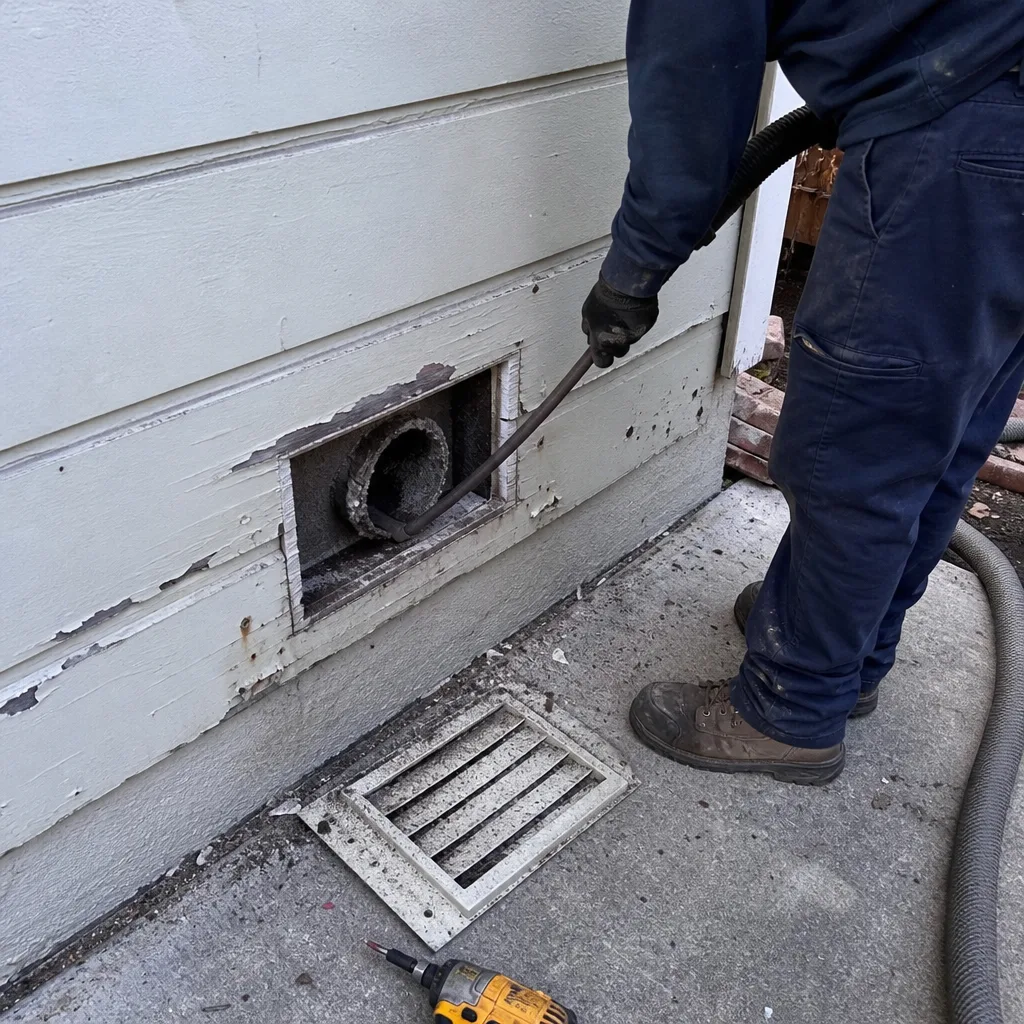 Before
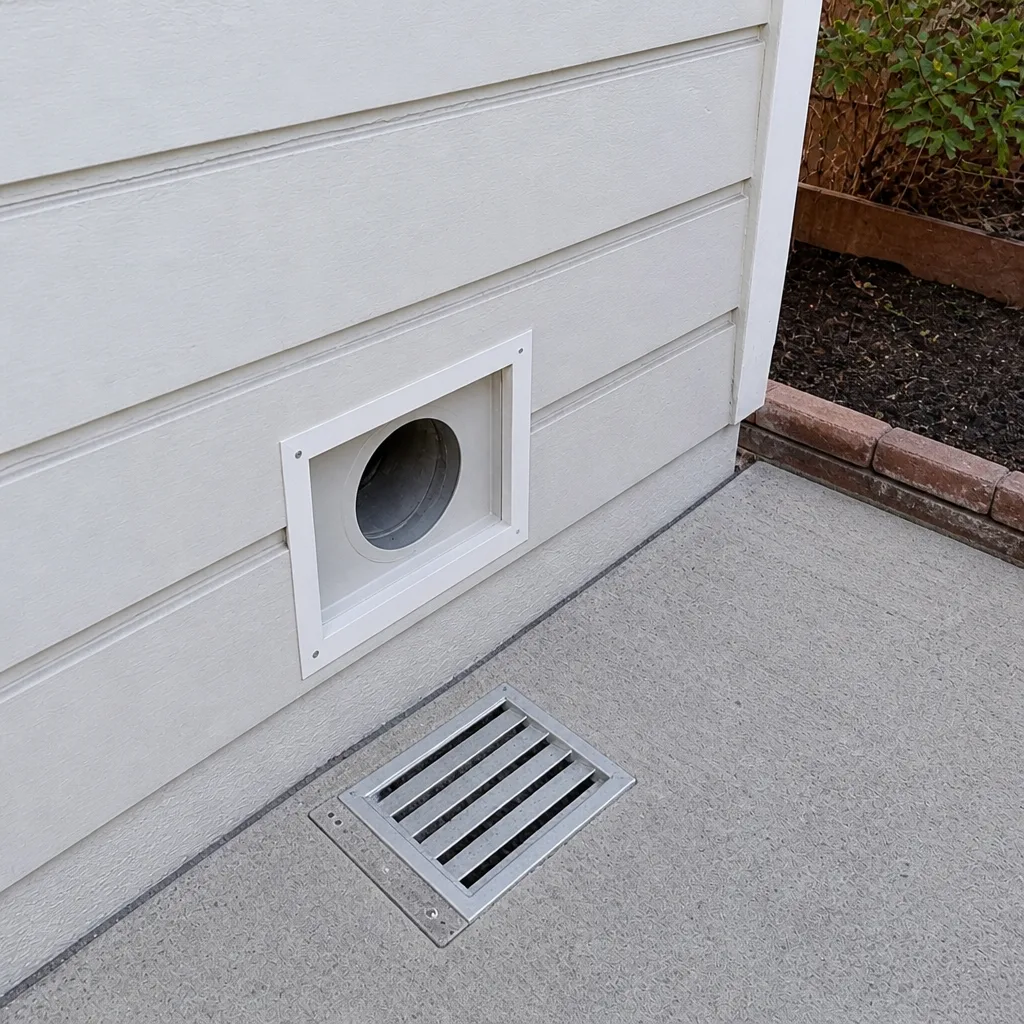 After
Frequently Asked Questions
A visual register inspection twice a year, plus one right after any trigger event, is a practical rhythm for most homes. Wildfire smoke events, interior renovations, and a new pet each warrant an extra check. The register itself will tell you when a professional cleaning is due. Call (855) 970-7954 for an exact quote if your check turns up heavy accumulation.
No. A prolonged stretch of elevated AQI is a reason to inspect the filter and the return registers, not necessarily a reason to schedule a cleaning every time. Log what you find. If the accumulation is heavy at multiple registers, that’s when a professional visit is worth scheduling. Call (855) 970-7954 to talk it through.
A cleaning record should include the scope (which registers and trunk runs were cleaned), the equipment used, the technician’s findings, and before-and-after photos of your own ducts. Without photos and findings, you don’t have a baseline to compare against. Call (855) 970-7954 for a free estimate if you don’t have a documented baseline yet.
No. A filter catches particles at the intake, but it doesn’t clean the duct interior or repair a loose joint. Duct maintenance is a separate record, and the two should be logged separately so one doesn’t mask the other. If your filter goes dark fast, that can point to a downstream duct issue – call (855) 970-7954 to schedule an inspection.
A musty odor at start-up is a signal that the duct system or an evaporator area needs inspection, and it deserves its own log entry. Note the date and which rooms were affected, then have it looked at professionally rather than covering it with a candle or a spray. Call (855) 970-7954 for an estimate.
Duct cleaning is a professional job because it needs contact cleaning and HEPA extraction to remove what’s actually clinging inside the duct, and a shop vac can’t move enough air to do it. Anything involving duct interiors, mold, or damaged joints belongs with a trained professional. Call (855) 970-7954 to schedule a free estimate.
The Bottom Line
A duct maintenance checklist works when it’s a record, not a calendar. Build the register room by room, log every trigger event that happens in your Concord home, keep the filter log and the duct log separate, and document every professional cleaning with scope, findings, and your own before-and-after photos. That record catches problems early, holds its value during a warranty discussion or a resale, and gives you a baseline the next technician can actually work from. Built to a standard, not a price.
Benchmark Air Duct Cleaning provides air duct cleaning, dryer vent cleaning, and air duct repair. We inspect before we quote and give you the documented baseline your checklist needs. Call (855) 970-7954 for a free estimate. We answer 24/7, with fast dispatch from 7am to 7pm, Sunday through Friday.
Written by the team at Benchmark Air Duct Cleaning.